
Deep Galaxies HD Deluxe3.5.0 - Google Play
You'll be able to see results in few seconds.
Publisher Description
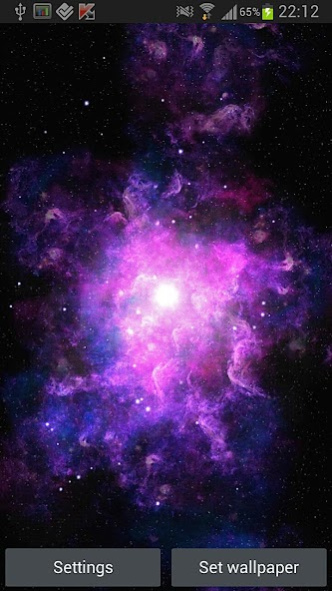
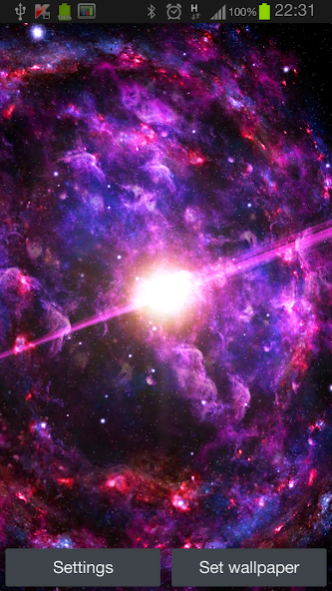
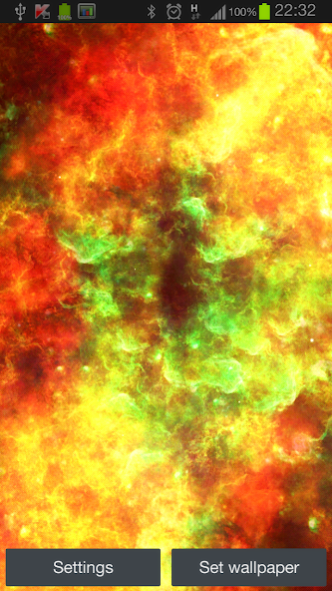
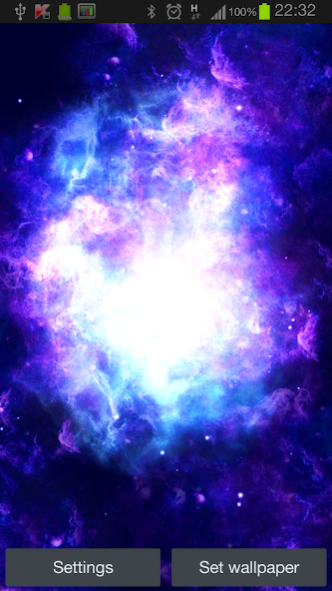
Travel to the distant and unreachable worlds with this beautiful wallpaper. Uses device's gyroscope (sensor for measuring orientation) for unique 3D and depth effects.
Over 600 beautiful combinations to please your eye!
This is the first release. Lots of updates with new background themes, planets and preferences are coming soon.
Features:
- Gyroscope support
- 7 absolutely different shapes:
-- Sperical, Flat and Evaporating nebulas
-- Quasar - the most deadlies object in space
-- Hand of God - autentific nebula
-- Spiral Galaxy
-- Flying through nebula scene
...And more to come
- 10 unique color themes (Fire, Frozen, Flesh, Oasis, Kissel, Ice and Fire, Bronze, Blue Kissel and Mixed)
- 9 unique background types (from simple stars to beautiful color patterns)
- 3 different density options
- Beautiful space dust
- Gyroscope and Free cameras
- Tons of camera settings (from sensitivity to distance)
- OpenGL ES 2.0 for stunning visuals
- Limit FPS to save your battery
- 100% C++ for optimal performance
WARNING. If your phone doesn't have gyroscope you can still use "Free" camera mode and control camera with your fingers.
About Deep Galaxies HD Deluxe
The company that develops Deep Galaxies HD Deluxe is Mozg Labs. The latest version released by its developer is 3.5.0.
To install Deep Galaxies HD Deluxe on your Android device, just click the green Continue To App button above to start the installation process. The app is listed on our website since 2016-11-21 and was downloaded 0 times. We have already checked if the download link is safe, however for your own protection we recommend that you scan the downloaded app with your antivirus. Your antivirus may detect the Deep Galaxies HD Deluxe as malware as malware if the download link to ru.gonorovsky.kv.livewall.deepgalaxieshddeluxe is broken.
How to install Deep Galaxies HD Deluxe on your Android device:
- Click on the Continue To App button on our website. This will redirect you to Google Play.
- Once the Deep Galaxies HD Deluxe is shown in the Google Play listing of your Android device, you can start its download and installation. Tap on the Install button located below the search bar and to the right of the app icon.
- A pop-up window with the permissions required by Deep Galaxies HD Deluxe will be shown. Click on Accept to continue the process.
- Deep Galaxies HD Deluxe will be downloaded onto your device, displaying a progress. Once the download completes, the installation will start and you'll get a notification after the installation is finished.
Program Details
System requirements
Download information
Pricing
Version History
version 3.5.0
posted on 2016-11-21
- SDK update
- Stability fixes
- Performance updates
version 3.4.4
posted on 2015-08-24
- Stability fixes,- Sprite tune-up,- Performance updates
version 3.1.6
posted on 2013-06-22
Several fixes and updates
Disclaimer
Official Google Play Link
We do not host Deep Galaxies HD Deluxe on our servers. We did not scan it for viruses, adware, spyware or other type of malware. This app is hosted by Google and passed their terms and conditions to be listed there. We recommend caution when installing it.
The Google Play link for Deep Galaxies HD Deluxe is provided to you by apps112.com without any warranties, representations or guarantees of any kind, so access it at your own risk.
If you have questions regarding this particular app contact the publisher directly. For questions about the functionalities of apps112.com contact us.
